M4A to Text Online Converter
Convert M4A to text with industry-leading AI — fast and accurate. No registration or credit card required. Try it for free and turn recordings into clear, editable text in seconds.
Drag files here or click to browse
3 Simple Steps to Transcribe M4A into Text
What is M4A to Text Conversion?
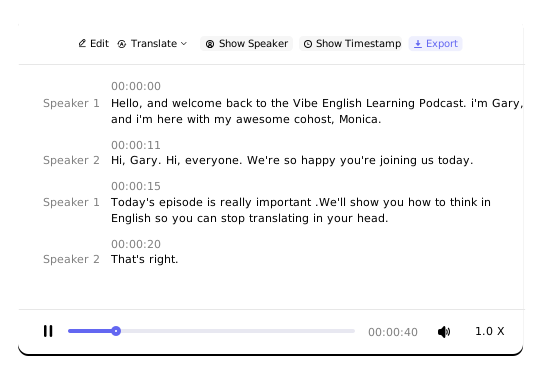
- M4A to text conversion is the core feature of our website, enabling the quick and accurate transcription of M4A audio files into easy-to-read text. Whether it's a long or short recording, you can upload and transcribe it with a single click. It supports features such as timestamps, speaker identification, and intelligent paragraph breaks—making it ideal for transcribing lectures, meetings, interviews, and more.
Why Convert M4A to Text?
- Listening to long recordings is both time-consuming and mentally draining—and when you need to revisit a specific part, it’s often difficult to locate exactly where it is. Converting M4A audio to text allows you to easily review, search, and edit the content. This helps prevent transcription errors, saves you the time of manual note-taking, and lets you focus on what truly matters.
Export Formats & Use Cases

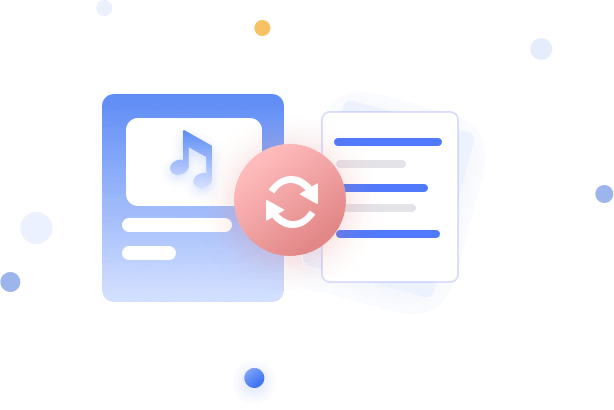
In TXT Format
For Notepad, TextEdit, VS Code, and other lightweight editors.

In PDF Format
For Acrobat, browser viewers, printing, and easy sharing.

In DOCX Format
For Word, Google Docs, and rich-text editing workflows.

In SRT Format
For YouTube captions, VLC, and other subtitle tools.

In CSV Format
For Excel, Google Sheets, and data analysis platforms.

In VTT Format
For HTML5 players, Vimeo, and accessibility captions.
How to Ensure the Accuracy of M4A to Text Conversion?
- Place the recording device close to the speaker and avoid positioning it too far away.
- Try not to interrupt the speaker to ensure sentences remain complete and coherent.
- Minimize background noise, echo, and irrelevant sounds as much as possible.
- Ensure good recording quality and avoid extremely low volume levels.
Common Issues & Tips for M4A to Text Conversion

High background noise → Decreases accuracy
Noisy environments interfere with recognition. Record in a quiet setting or use a noise-canceling microphone.
Fast speaking pace → System struggles to keep up
Rapid speech may cause missed words. Slow down slightly for important information.
Strong accents or dialects → May challenge software
Mandarin is recognized best. Heavy accents or dialects may lower accuracy—consider tools that support multiple dialects.
Technical terms or proper nouns → Prone to errors
Recognition rates are lower for specialized vocabulary (medical, legal, tech, etc.). Add a custom dictionary or glossary in advance if possible.
Multiple speakers overlapping → Causes confusion
Consider recording separate tracks or using software with "speaker separation" features.
Incompatible recording format or quality
Check the supported formats (e.g., M4A, MP3, WAV) and sample rates (e.g., 16kHz, 44.1kHz) for your chosen tool.
Why Choose Us?

High Accuracy
Our industry-leading accuracy is backed by real-world testing.

Wide Language Support
Transcribe in over 100 languages and translate into 249 languages.

Data Security
Your M4A recordings are used solely for transcription purposes and are never used for anything else.

Detailed Text Output
Features such as speaker separation, timestamps, and intelligent paragraphing enhance readability.

Easy to Use
Upload, transcribe, and export your text—all with just a click.

Long Audio Support
Transcribe audio files up to 10 hours in length without needing to split them.
Who Can Take the Most Advantage of
M4A-to-Text Conversion?

Content Creators
Instantly generate subtitles and blog posts, achieving "record once, distribute everywhere" to maximize the value of your content.

Students & Researchers
Turn lecture recordings into searchable study notes—no more replaying long recordings, and study more efficiently..

Journalists & Interviewers
Quickly transcribe interview recordings, capture key points accurately, and focus more time on in-depth writing.

Business Professionals
Automatically create meeting summaries and memos to ensure no critical decision is missed, boosting team collaboration and productivity.
How to Capture High-Quality M4A Audio
in Different Scenarios?
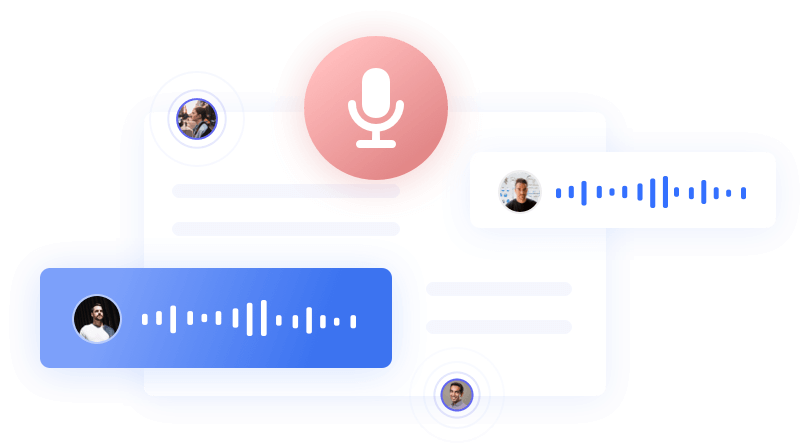
- Use dedicated conference microphones or multi-track recording devices to ensure each speaker is captured clearly.
- Speak close to the microphone and avoid overlapping conversations.
- Turn off noise sources such as air conditioners or printers before recording.
- After the meeting, use noise reduction software or features to enhance audio quality before transcription.
- Use a lavalier microphone or classroom-specific recording equipment placed close to the instructor.
- Opt for mono recording to reduce ambient reverb.
- If there is frequent multi-person interaction, use software with "speaker diarization" to distinguish between the instructor's and students' voices.
- Apply basic noise reduction before importing the audio into transcription software to improve accuracy.
- Ask interviewees in advance to speak clearly in standard Mandarin if possible.
- Use a high-quality microphone or recorder and minimize background noise.
- For specialized topics, create a custom glossary of terms beforehand.
- For long interviews, consider recording in segments by topic to avoid overly long single files that could affect recognition.

FAQ
How long does it take to transcribe an M4A file into text?
The transcription typically takes between 1/20 to 1/10 of the audio duration. For example, a 1-hour audio file will be transcribed in about 3–6 minutes.
Can audio files longer than two hours be transcribed?
Yes. However, longer audio files will require more processing time, so please plan your transcription accordingly.
Is there a file size limit for M4A files?
Yes. We support individual files up to 5GB in size.
Can I convert an M4A file into a Word document?
Yes. Simply upload your M4A file and click "Transcribe." Once the transcription is complete, you can export it in DOCX format to obtain a full Word document of your audio content.
Can M4A files be converted into subtitles?
Absolutely. After transcription, click the "Export" button and select either SRT or VTT format. You can also edit the subtitles online before exporting.
What is the accuracy rate for converting M4A to text?
Our tested accuracy rate exceeds 96%. However, please note that transcription accuracy largely depends on the quality of the audio itself. We strive to do everything technically possible to ensure the best results.